How to Integrate GPS Data with Golf Swing Analysis for Smarter Improvement
Most golfers use GPS devices to find distances and swing analysis apps to fix their technique. But they rarely use both at the same time, in the same conversation. That gap is where a lot of improvement gets left on the table.
When you combine GPS shot tracking with swing data, you stop guessing. You start seeing exactly why a well-struck ball still comes up 15 yards short, or why a swing that felt off actually produced your best carry distance of the round. That kind of clarity is what separates golfers who plateau from those who keep improving.
Why Combining GPS and Swing Data Changes How You Improve
Using GPS or swing analysis in isolation gives you half a picture. GPS tells you what happened on the course; swing analysis tells you what your body did. Only together do they explain why outcomes happen.
Think of it this way: a swing sensor might tell you that your club speed is solid, but your GPS data shows your carry distances are consistently 10-12 yards below what that speed should produce. That gap points directly to an efficiency problem — poor contact, an open face at impact, or a steep angle of attack — that neither tool would surface on its own.
This combined approach also changes how you practice. Instead of hitting balls in isolation and hoping range improvements transfer to the course, you create a feedback loop grounded in real on-course performance. Your practice routine becomes evidence-based, not intuition-based.
What GPS Golf Devices Actually Measure
GPS golf devices — including GPS watches, handheld units, and rangefinders with shot-tracking capability — primarily measure location-based data: where you are, where the ball lands, and how far it traveled.
The core outputs include:
- Carry distance vs. total distance — how far the ball flew through the air versus its final resting position after roll
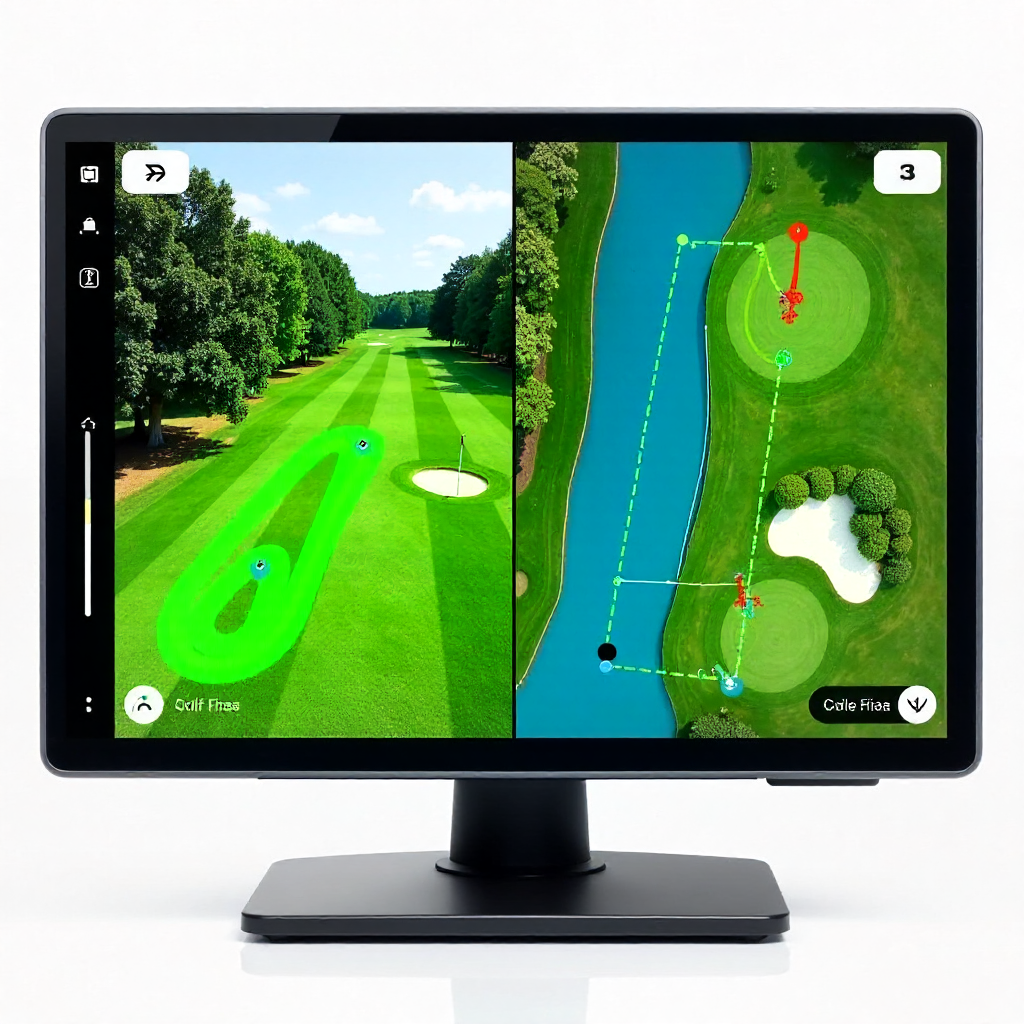
- Shot location mapping — GPS coordinates of each shot plotted on a course map
- Distances to hazards, greens, and layup zones
- Dispersion patterns — where your shots cluster relative to your target
- Hole-by-hole statistics that accumulate into performance trends
Course mapping is particularly underrated. When you can see that your drives consistently land 20 yards left of center on a specific hole type, that pattern becomes a data point your swing coach can actually work with — not just an anecdote from memory.
GPS handhelds and watches have become accurate enough that carry distance readings are typically within 1-3 yards of actual flight distance under normal conditions, making them a reliable reference point for swing efficiency calculations.
What Swing Analysis Tools Capture
Swing analysis software and wearable swing sensors measure the mechanics of what your body and club are doing during the swing itself. These are fundamentally different data types from GPS outputs — they're kinematic, not geographic.
Common swing metrics include club head speed, tempo and timing ratios, swing path (in-to-out or out-to-in), face angle at impact, attack angle, and grip pressure in some advanced sensors. Some apps use smartphone video combined with AI to estimate impact position and body rotation.
The key insight here is that swing data is mechanical while GPS data is consequential. One tells you what you did; the other tells you what resulted. Neither is complete without the other.
How the Two Data Streams Work Together
The practical connection between GPS and swing data is this: GPS-confirmed carry distances act as a real-world validation layer for what your swing sensor is telling you.
Here's a concrete example. Your swing sensor reports 95 mph club head speed with your 7-iron. Based on standard efficiency ratios, that should produce roughly 165-170 yards of carry. But your GPS shot tracking shows an average carry of 148 yards with that club over your last three rounds. That 17-20 yard deficit is a signal — and it narrows the diagnostic search considerably.
Possible causes include:
- Off-center contact reducing energy transfer (smash factor issue)
- An excessively steep attack angle adding spin and reducing distance
- An open face bleeding ball speed to the right and killing carry
- Grip or wrist conditions that produce a weak impact position
Without GPS carry data, you might never notice the gap. Without swing analysis, you'd know something was wrong but have no idea where to look. Together, they point you toward the right fix immediately.
Dispersion patterns from GPS course mapping also pair well with swing path data. If your GPS shows a consistent miss pattern to the right, and your swing sensor shows an out-to-in path, you've just confirmed a root cause and a direction for practice.
Setting Up a GPS + Swing Analysis Workflow
A practical integration workflow doesn't require expensive equipment or hours of data review. It requires consistency and a simple structure you repeat across rounds and practice sessions.
Step 1: Establish Your Baseline
Play two or three rounds using your GPS device with shot tracking enabled. Don't change anything about your game yet — just collect clean data. Record carry distances for each club category (driver, long irons, mid irons, wedges) and note dispersion patterns.
Step 2: Run Swing Analysis on Your Problem Areas
Use your swing sensor or analysis app to capture swings specifically with the clubs where GPS data shows the biggest gaps or most erratic dispersion. Focus your swing analysis sessions on these clubs rather than trying to fix everything at once.
Step 3: Pair Data Points and Identify Patterns
Compare your expected carry (based on swing speed) against your actual GPS carry for each club. Flag any club where the gap exceeds 8-10 yards. These are your priority areas. Cross-reference with your swing path and face angle data to identify mechanical explanations.
Step 4: Design Targeted Practice
Build practice sessions around closing specific gaps. If your 6-iron shows a 12-yard carry deficit and an out-to-in path, your practice block focuses on path correction and monitoring whether GPS carry numbers improve over subsequent rounds.
Step 5: Review and Adjust Monthly
Set a monthly review cadence. Look at whether GPS carry distances for your priority clubs have moved toward expected values. This is how you measure whether your practice is actually working — not by feel, but by performance metrics tied to real on-course data.
Bluetooth connectivity between devices simplifies this considerably. Many GPS watches and swing sensors now sync to shared app ecosystems, allowing data to aggregate in one place rather than requiring manual cross-referencing between separate platforms.
Key Metrics to Track When Using Both Systems
Not all data is equally useful. When running a combined GPS and swing analysis system, focus on metrics that directly connect mechanical inputs to on-course outcomes.
The highest-value metrics to monitor:
- Carry efficiency ratio — actual GPS carry divided by expected carry based on club speed. Anything below 0.90 suggests a contact or face angle problem worth investigating.
- Dispersion radius by club — how tightly your GPS shot locations cluster. A tighter radius means more consistent swing mechanics.
- Miss direction consistency — if you miss right 70% of the time, that's a pattern, not randomness. Your swing data should explain it.
- Tempo vs. distance correlation — some golfers find that their best GPS distances correlate with specific tempo ratios. Tracking both reveals this personal pattern.
- Handicap movement over 60-90 days — the ultimate validation that your combined data practice is working.
Avoid tracking too many metrics simultaneously. Pick two or three and give them 4-6 weeks of focused attention before adding more. Data overload is a real problem — it leads to paralysis rather than improvement.
Choosing Devices That Support Data Integration
The best GPS golf devices for swing integration are ones that export shot data in usable formats and ideally connect to broader app ecosystems via Bluetooth or Wi-Fi sync.
When evaluating GPS watches and handhelds, prioritize:
- Shot tracking accuracy — automatic shot detection with GPS coordinates, not just yardage to the pin
- App ecosystem compatibility — does the device sync with platforms that also accept swing sensor data?
- Data export options — CSV or API access lets you build your own tracking spreadsheets if needed
- Course mapping detail — more detailed maps produce more accurate shot location data
On the swing analysis side, look for sensors or apps that produce standardized metrics (club speed, path, tempo) rather than proprietary scores that can't be compared across sessions. Wearable swing sensors that clip to a glove or grip tend to offer the most consistent readings during actual play, not just on the range.
The ideal setup is a GPS watch that tracks shots automatically during a round, paired with a swing sensor used during practice, both syncing to a shared platform. You don't need a single device that does everything — you need devices that speak to each other through data.
Frequently Asked Questions
Can any GPS golf watch work with swing analysis apps?
Not automatically. Many GPS watches record shot data only within their own ecosystems. For true integration, you need a watch that either natively connects to a swing analysis platform or exports data in a format those apps can import. Check compatibility before purchasing.
Do I need a separate swing sensor, or can my GPS device track swing data too?
Most GPS golf devices track location and distance — not swing mechanics. A few advanced wearables include basic motion sensing, but for meaningful swing path, tempo, and impact data, a dedicated swing sensor or video-based analysis app is still the more reliable option.
How accurate is GPS carry distance compared to a launch monitor?
GPS carry distance is typically accurate within 1-5 yards under normal conditions, which is sufficient for identifying trends and gaps. Launch monitors are more precise for individual shot analysis, but GPS devices have the advantage of capturing real on-course data across full rounds — something a range-based launch monitor can't replicate.
How often should I review my combined GPS and swing data?
A brief review after each round (10-15 minutes) to flag any notable patterns, plus a deeper monthly review to assess trends, works well for most recreational golfers. Reviewing too frequently can lead to overreacting to single-round noise rather than meaningful patterns.
Is this level of data analysis useful for beginner golfers, or mainly for advanced players?
Beginners benefit most from basic GPS distance data and simple dispersion tracking — knowing which clubs produce the most consistent results is immediately actionable. The deeper swing-GPS integration becomes more valuable once a golfer has consistent enough mechanics to produce repeatable patterns worth analyzing, typically around the 18-25 handicap range and below.