Top Accessories to Enhance Your Golf GPS Device
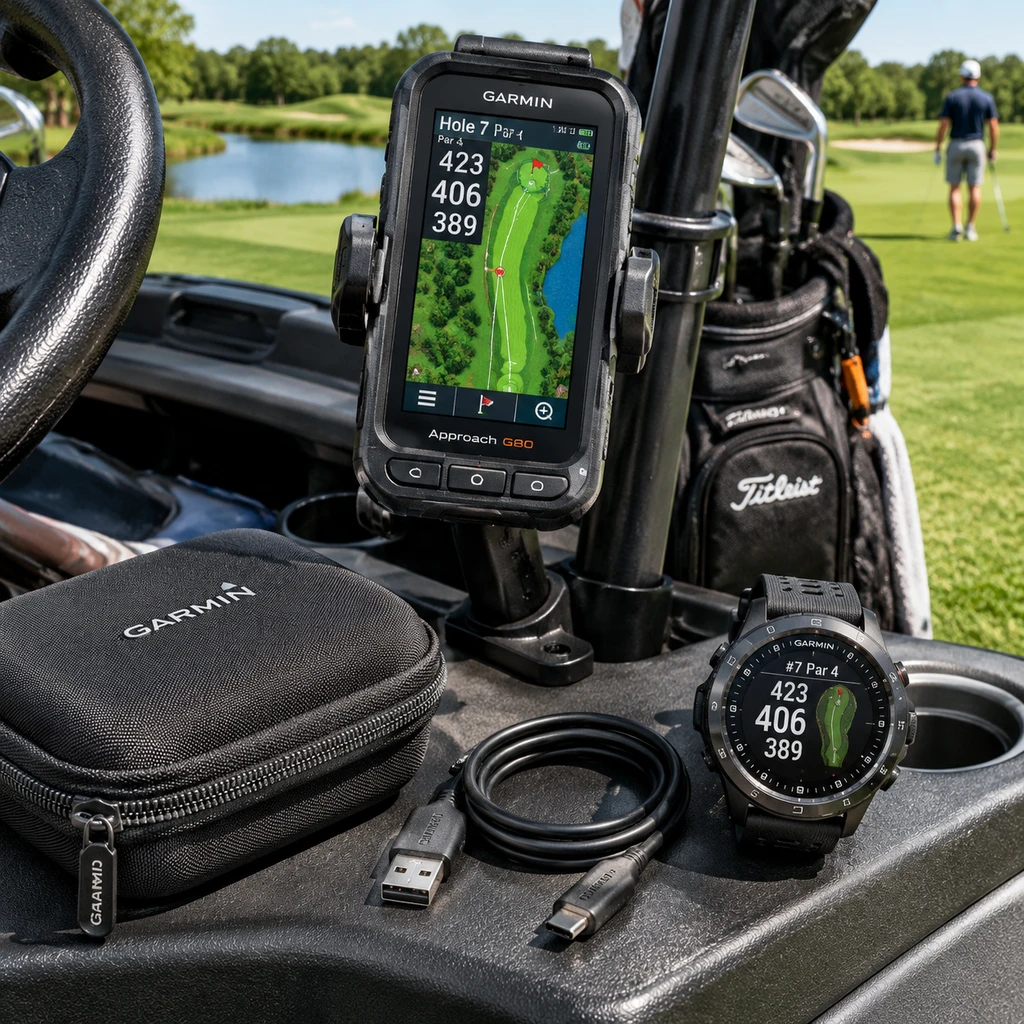
The right accessories can make a golf GPS device easier to reach, safer to carry, and ready for a full round. A mounting clip, protective case, screen protector, or model-specific charger can solve everyday annoyances, but fit matters: accessories are rarely universal across brands and device formats.
Start with how you play. A golfer who rides in a cart may value a secure cart mount, while someone who walks may prefer a belt or bag clip and a compact power bank. These add-ons improve convenience and protection; they do not improve the device’s GPS accuracy.
Why Accessories Can Improve Your Golf GPS Experience
Golf GPS accessories improve convenience by keeping a device accessible, protected, and powered during a round. The useful choices depend on whether you use a handheld GPS unit, a GPS watch, or a device mounted on a golf cart.
Think of the decision as a simple access-protect-power check. First, make the screen easy to see and reach. Next, reduce the risk of drops, scratches, or weather exposure. Finally, consider whether the device’s battery and charging setup match your usual round length.
Not every golfer needs all three. A GPS watch already sits on your wrist, so a separate mounting clip may add little value. A handheld unit used in a cart may benefit more from a dedicated cart mount than from a belt clip. And if your battery comfortably lasts through your rounds, carrying a power bank can add bulk without solving a real problem.
Accessories can also involve trade-offs. A protective case adds a layer between the device and bumps, but may make buttons or ports harder to reach. A mount keeps a unit visible, but only if it attaches securely and does not obstruct the cart’s controls or your view.
Mounts and Clips for Easier Access
A cart mount holds a compatible handheld GPS unit in view, while a mounting clip attaches it to a golf bag, belt, or another suitable point. Choose based on where you want to check distances and how securely the accessory attaches.
A cart mount can make a handheld GPS easier to read between shots without reaching into a pocket or bag. Mounting systems differ: some use a cradle designed for a specific device, while others use a clamp or magnetic plate. Check the manufacturer’s listed compatibility and the cart surface the mount is designed to grip. A fit that works on one dashboard or frame may not work on another.
For walking rounds, a mounting clip can fasten a compact unit to a golf bag strap, pocket, or belt. It keeps the screen accessible, though the best location depends on the device’s size and the clip’s strength. Avoid attaching it where it can swing, catch on equipment, or press against your body as you walk.
- Riding golfer: Look for a mount with a stable hold and an easy-to-release cradle.
- Walking golfer: Choose a clip that closes securely and does not interfere with carrying or swinging.
- Shared cart: Confirm that the mount can be positioned where both players can view it without blocking controls.
Before playing, test the setup while the cart is stationary. Confirm that the device remains secure over bumps and that you can remove it without forcing the clip or mount.
Cases and Screen Protection
A protective case helps shield a golf GPS device from scratches and minor knocks, while a screen protector adds a barrier over the display. Check the case’s exact fit and confirm that the protector suits your device’s screen shape and touch controls.
A case is most useful when a handheld GPS travels in a crowded golf bag, where clubs and other gear can press against it. Look for a snug fit, access to the buttons and charging port, and materials suited to the conditions in which you play. A bulky case may improve cushioning but can make the device harder to remove or mount.
A screen protector can help reduce everyday surface scratches. It is a sensible option if your unit is often stored with other equipment or handled with damp or gritty fingers. However, protectors vary in coverage and installation method. A poorly fitted film can lift at the edges or interfere with touch response, so follow the device maker’s guidance where available.
Consider course conditions, too. Rain resistance is a feature of the device itself, not something to assume from a case or screen film. A case may cover some ports but leave others exposed. Check the product description rather than treating any accessory as complete weather protection.
Charging Accessories for Longer Rounds
A compatible charging cable restores power between rounds, and a portable power bank can provide backup when a device’s battery may not last through your play. Confirm the connector and charging requirements before buying either accessory.
Charging cables can look similar while using different connectors or charging contacts. Check the exact GPS model, not just the brand, and verify whether the manufacturer recommends a particular cable or adapter. A cable made for another generation of a product may not connect properly or may be unsuitable for charging.
A power bank is useful when you play long rounds, travel without easy access to an outlet, or use a device whose battery is already aging. Its value depends on how and when you can charge: some golfers prefer to top up between rounds, while others want an option for a low battery during the day. Keep any power bank and cable secured in a dry bag pocket, and check the device instructions for charging precautions.
Do not assume that charging a device on the cart is practical. The cable may get in the way, the cart may not provide a suitable power source, and the unit could be exposed to weather. For most golfers, charging fully before the round is simpler; a backup power bank is insurance, not a substitute for checking battery condition.
Accessories for GPS Watches
GPS watch accessories usually include replacement bands, model-specific chargers, and screen protection made for the watch’s display. Options vary by model, so check the watch’s product details before ordering.
A replacement band can improve comfort if the original strap feels loose, wears out, or does not suit your wrist. Match the band’s attachment system and width to the exact watch. Even bands from the same manufacturer may not fit every model, and a secure connection matters when you wear the watch while walking or playing.
Watch chargers often use a proprietary clip, cradle, or contact arrangement. A charger that appears to fit may fail to align with the charging points, so confirm the model name and any stated generation or version. Keep the charging contacts clean and dry, and avoid forcing the connector into place.
Screen protection is optional. It may be worthwhile if your watch display regularly brushes against clubs, bag hardware, or other surfaces. On the other hand, a film can be unnecessary for careful users and may affect touch response if it is poorly matched. Prioritize a protector specifically listed for your watch rather than trimming a generic film to size.
How to Choose Accessories That Fit Your Device
To choose golf GPS accessories, identify your exact device model, match the attachment or charging system, and then check durability and ease of use. The best accessory is the one that works with your device and your routine, not the one with the longest feature list.
- Find the model number. Check the device label, settings menu, manual, or manufacturer’s product page. Record the full model and version if one is listed.
- Match the connection. For a mount or clip, verify the cradle, attachment point, or clamp type. For charging, compare the connector and charging method.
- Assess the conditions. Consider walking or riding, typical weather, storage in your bag, and how often you need to check the screen.
- Check access and removal. Make sure the case leaves buttons and ports usable, and that a mount releases without excessive force.
- Read the compatibility details. Look for named models, not broad claims such as “fits most golf GPS devices.” When uncertain, ask the manufacturer or retailer before purchase.
One common buying mistake is assuming that accessories are interchangeable across brands. Similar shapes do not guarantee a secure fit, and incompatible chargers can be frustrating at best. Another is buying protection without checking screen access or charging-port coverage. A few minutes spent confirming the model can prevent returns and avoid using an accessory that loosens during play.
Frequently Asked Questions
Accessory needs vary by device and playing habits, but fit is the key question for mounts, cases, protectors, and chargers. These quick answers can help narrow down the right choice.
Which accessories are most useful for a handheld golf GPS?
A handheld GPS user may benefit most from a secure cart mount or mounting clip, depending on whether they ride or walk. A protective case and screen protector can help reduce wear, while a compatible charging cable or power bank is useful if battery life is a concern.
Do golf GPS accessories work across different brands and models?
Some accessories use broadly compatible attachment methods, but many are model-specific. Check the manufacturer’s compatibility list for the exact device before buying, especially for cradles, cases, screen protectors, and chargers.
Is a screen protector necessary for a golf GPS device?
No. A screen protector is optional and is most useful when the display is likely to rub against clubs, bag hardware, or other equipment. Choose one made for the specific screen, and consider whether it could affect touch response.
What should I check before buying a GPS watch charger?
Confirm the exact watch model and version, the connector or charging-contact design, and the charger’s stated compatibility. Do not rely on brand name alone; different GPS watches from one brand may use different charging systems.